Which generation refused cookies?
I feel like most look at me like I’m crazy, regardless of age, when I deny/only accept the functional cookies on sites every single visit.
When the Financial Times published the article, “This Bug in Your PC is a Smart Cookie” on 12 February 1996 I remember quite a lot of people getting upset about it. At the time most were on dialup so you had a different IP assigned every time you connected so the idea you were being tracked in any way was a shock.
Should be denying all. I refuse to use websites that say there are “functional” or “required” cookies. That’s bullshit. Also use extension that block and/or scrub cookies.
No, but if they have other cookies, the options range between “yes” and “only essential”. The popup is for the other ones, but it also notifies you that you won’t get zero, which they kinda do need to say if the popup shows up.
So you log again every single time you visit a website? I don’t get the Luddite-y response people have when someone mentions cookies, ones that aren’t cross-site don’t impair your privacy.
Yup, every single time. Not hard when you use a password manager.
Also, lmao, how the hell is rejecting cookies, something that corporations have exploited to make the internet an increasinly hostile place, a “Luddite-y” response? Read up on the Luddites sometime. They are wildly mischaracterized. They weren’t anti-progress like people have been propogandized to believe, they were anti-exploitation of workers.
Actually, now that I think about it, that is a Luddite-y response, and I’m damn proud of it.
Apart from keeping you logged in, like the other commenter mentioned, cookies can for example be used to save the theme you are using (light/dark) or the language you picked. It would be annoying to have to reselect that every time you move to a different subpage.
Your browser passes theme and language recommendations to every site you visit. So outside of passwords, there are fewer reasons for cookies than you may presume.
I read they don’t clear with clearing the cookies though? I want to make sure there aren’t any and get rid of them, as well as any government or other malware while I am at it.
After 1/6 I was encouraged to join, I forget, Rumble I think, to see what they were saying, they tried to get me to agree to putting permanent cookies on my computer so I gave up, that was the first I heard about it.


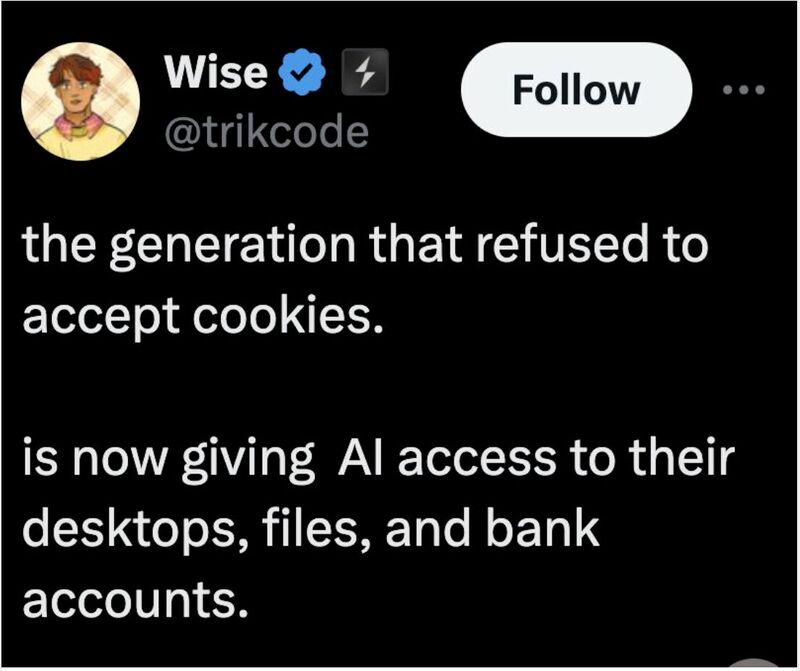
Which generation refused cookies?
I feel like most look at me like I’m crazy, regardless of age, when I deny/only accept the functional cookies on sites every single visit.
Yeah, I don’t think the two groups of people named in this post have much overlap. They seem pretty distinct to me as well
When the Financial Times published the article, “This Bug in Your PC is a Smart Cookie” on 12 February 1996 I remember quite a lot of people getting upset about it. At the time most were on dialup so you had a different IP assigned every time you connected so the idea you were being tracked in any way was a shock.
I just have my browser set up to delete all cookies whenever I close it. You want to set a cookie, knock yourself out, website.
(I do also have various things that block some, but if more people just had “delete cookies at browser close” as default, that’d be a big deal.)
That would only work if you close your browser.
Me too!
https://github.com/cavi-au/Consent-O-Matic can help with some of that.
uBlock origin has a filter available for these cookie popups
Which renders some webpages unusable until you interact with the thing you filtered.
Yeeeah, it’s still worth it for me though. If that happens I just disable the blocker temporarily
I’ve been using consent-o-matic. It gets the big ones and a moderate amount of others.
https://consentomatic.au.dk/
Agreed, just pointing it out for people.
Should be denying all. I refuse to use websites that say there are “functional” or “required” cookies. That’s bullshit. Also use extension that block and/or scrub cookies.
Some cookies are useful, like the ones keeping you logged in. Not all cookies are created with the sole purpose of tracking you.
And no law on the planet requires a notification for those kinds of cookies.
No, but if they have other cookies, the options range between “yes” and “only essential”. The popup is for the other ones, but it also notifies you that you won’t get zero, which they kinda do need to say if the popup shows up.
I can just log back in when I need to be, thank you.
So you log again every single time you visit a website? I don’t get the Luddite-y response people have when someone mentions cookies, ones that aren’t cross-site don’t impair your privacy.
Yup, every single time. Not hard when you use a password manager.
Also, lmao, how the hell is rejecting cookies, something that corporations have exploited to make the internet an increasinly hostile place, a “Luddite-y” response? Read up on the Luddites sometime. They are wildly mischaracterized. They weren’t anti-progress like people have been propogandized to believe, they were anti-exploitation of workers.
Actually, now that I think about it, that is a Luddite-y response, and I’m damn proud of it.
Aye that’s fair, my comparison was too much of a hyperbole. But why not just block cross-site cookies?
Because there’s no good way to do that reliably and easily, because the corporate world is run by douchebags with a rapists-mentality.
This is in the default (Standard) Firefox anti-tracking settings
Apart from keeping you logged in, like the other commenter mentioned, cookies can for example be used to save the theme you are using (light/dark) or the language you picked. It would be annoying to have to reselect that every time you move to a different subpage.
Your browser passes theme and language recommendations to every site you visit. So outside of passwords, there are fewer reasons for cookies than you may presume.
They’re only recommendations. You should still respect the user’s choice if they choose something else, which is usually done via cookies.
Theme can use local storage, instead of cookies.
This breaks once you’ve got server-sided rendering.
What about “persistent” cookies? I spent hours and was unable to find them, let alone remove them.
They are normal cookies with a longer “time to die”. They are mixed with normal cookies.
I read they don’t clear with clearing the cookies though? I want to make sure there aren’t any and get rid of them, as well as any government or other malware while I am at it.
After 1/6 I was encouraged to join, I forget, Rumble I think, to see what they were saying, they tried to get me to agree to putting permanent cookies on my computer so I gave up, that was the first I heard about it.
There’s UBO filter-lists for that.